
Archived back issues of the Grapevine 20xx
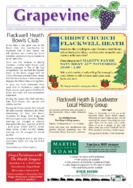
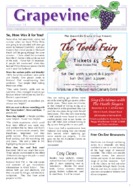
The table below has an image in for each front cover of the publication and a description of some of the articles covered. You can download your copy of the publication by clicking on image.
USE THIS PAGE TO TEST ADDING AND CHANGING CONTENT TO THE GRAPEVINE PAGES. THE STEPS ARE AS FOLLOWS:
1). Get the front page of the grapevine displayed on your screen so you can see the whole page, then press Print Screen
2). Open an image editor, create a new empty canvas and paste the screen shot onto the page
3). Crop the image so that you have eliminated all of the rest of the screen from the image and have just the front page remaning
4). Shrink the image to the following dimensions: 133 wide by 188 high. Save the image as a jpg.
5). Make a note of the top 3 or 4 highlights from the edition
6). Locate the two cells you want to add the edition to in the table (month/yr)
7). Edit the text contents to contain the 3 or 4 highlights.
8). In the table cell to the right place your cursor and click on add media. Then upload files tab, then upload the thumbnail for the edition (small image) At this point Update the page.
9). Next go to the media library and upload the PDF version of the newsletter.
10). Click on Add New, and open a new post. Click on editable area of the screen to place your cursor there. Then click on Add Media
11). Select the PDF newsletter you are working on and insert it into the editor.
12). Click on preview. Your Post will open with just a link in the page. Click on the link. This will open the newsletter.
13). Copy the URL for the newsletter (this is the https://flackwellheathcommunitycentre.org.uk/……. ) in the browser
14). Return to the editor. Delete the post you had created. (you only needed it to get the URL for the newsletter)
15). Go back to the entry you were editing in this page (or the page you were working on).
16). Click on the thumbnail image for the newsletter
17). A series of icons will appear, click on the pencil symbol.
18). A form will open, Change the Link To pull down to Custom URL
19). Paste the URL for the PDF version into this space taking care that you do not end up with two http://’s in this box. (do check).
20). In advanced options check the box which says Open Link in a new tab.
21). Update the image. Then update the page. Then view the page
22). When you place your cursor over the image, it will be live, indicating that if you click on the image something will happen. Click on it and a new browser window will open, and the PDF version of the newsletter will open.
Formatting
You may find that this is all you need to do provided you have not accidentally removed any formatting from the cells in the table. (You cannot see the formatting, it affects the position).
If the image is displayed too high or too low, or to the left or right, you can click on the cell in question to place your cursor there.
Then click on table tool in the row of editing icons. Then choose Cell, and then Table Cell Properties.
All cells should be H Align = Centre and V Align = Middle.
| Issue | Content (click to download) | Issue | Content (Click to download) |
|---|---|---|---|
September 2020
|
 |
March 2014
|
 |
April 2014
|
 |
May 2014
|
 |
June 2014
|
 |
July 2014
|
 |
August – September 2014
|
 |
October 2014
|
 |
November 2014
|
 |
December 2014 – January 2015
|
 |
Go to Grapevine 2013
Return to the Grapevine Home page